
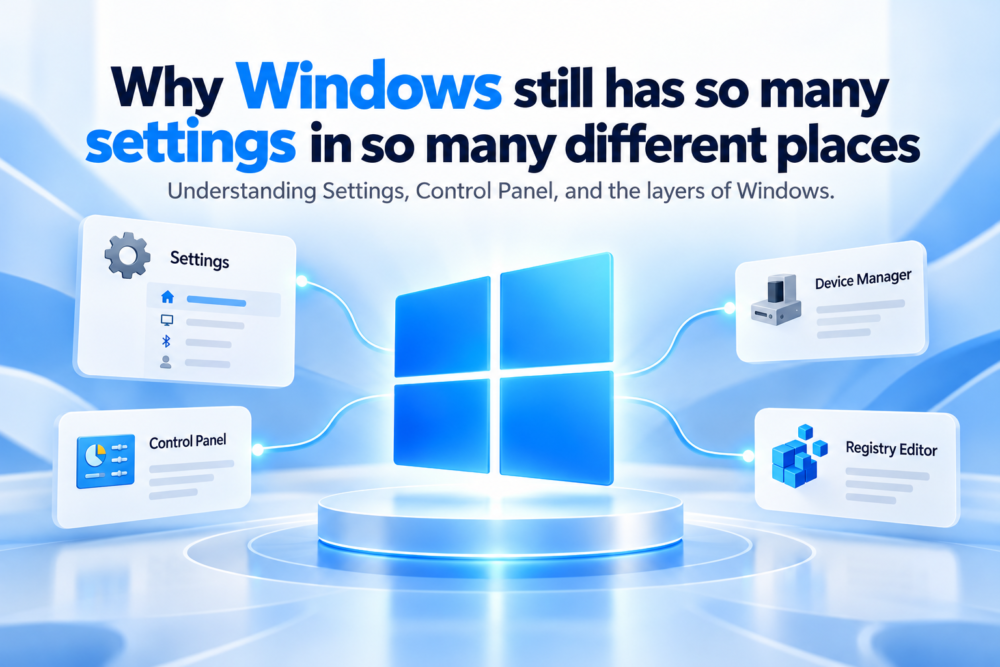
Changing a setting in Windows 11 can sometimes feel like a small treasure hunt. One option is in the modern Windows Settings app, another still opens Control Panel, and more advanced options may live inside Device Manager, Computer Management, Services, Registry Editor, or Group Policy.
To a normal user, this can seem unnecessarily complicated. Why does one operating system need so many different places to configure it?
The answer is partly historical, partly technical, and partly the result of one of Microsoft’s biggest responsibilities: modernizing Windows without breaking the enormous ecosystem built around it.
Why Windows 11 still carries decades of settings history
Windows 11 may look modern, but it is not an operating system that Microsoft started from zero. It sits on top of decades of Windows development.
During that time, Microsoft created different tools for different generations of hardware, networking, administration, accessibility, security, and business management. Many of those tools became important to users and organizations long before the current Settings app existed.
Control Panel is the most obvious example. For years, it was the central place where people adjusted Windows, including display options, mouse behavior, network settings, user accounts, printers, sound, and power management.
Microsoft later introduced the newer Settings app and gradually began moving functionality into it. The result is a long transition where both systems still exist.
That overlap can feel messy, but it is a consequence of how carefully Microsoft has to move old functionality into a new interface.
Why Microsoft cannot simply remove Control Panel and other old tools
If Windows were used only on personal laptops, Microsoft could probably redesign the settings experience much more aggressively. Windows, however, also runs inside businesses, schools, hospitals, factories, government organizations, laboratories, and other environments where old systems can remain in use for many years.
A company may have internal documentation that tells employees exactly where to find a certain option. An IT team may depend on scripts that open specific management tools, while a specialized application may expect a particular Windows component to remain available.
Administrators may also rely on interfaces that ordinary home users have never opened. Removing an old control can therefore create much bigger problems than simply changing the appearance of a menu.
Microsoft often has to balance two competing goals: making Windows cleaner and keeping old systems working. That is one reason the company tends to modernize Windows gradually rather than replacing everything at once.
Why Windows settings are spread across different tools
Another reason Windows feels fragmented is that many configuration tools serve very different purposes.
The Settings app is designed for normal device configuration, while Control Panel contains older configuration interfaces and options that have not yet fully migrated. Device Manager is focused on hardware and drivers, and Disk Management deals specifically with storage devices and partitions.
Other tools go even deeper. Event Viewer helps inspect system and application logs, Services controls background services, Group Policy provides administrative control over large numbers of Windows behaviors, and Registry Editor exposes the underlying Windows configuration database.
These tools may all change how the computer behaves, but they are not trying to solve the same problem. Putting every option into one enormous Settings page would not necessarily make Windows easier to use.
It could simply move all of that complexity into one gigantic application.
Why Windows 11 still has Control Panel
Microsoft has not abandoned the idea of consolidation. It has been moving features from Control Panel into the Settings app for years, and recent Windows updates have continued that process.
Time, language, keyboard, mouse, networking, and other configuration options have gradually moved into modern Settings pages. In some cases, older Control Panel links now redirect users to the newer interface.
The transition is simply taking much longer than many people expected.
There is a good reason for that. A settings page is not only a collection of buttons; Microsoft has to rebuild the interface, reproduce the underlying functionality, make it accessible, test it across different hardware, support enterprise policies, handle multiple languages, and make sure older workflows still behave correctly.
Moving one page may sound easy. Moving decades of operating-system configuration is not.
Why Windows 11 Settings still opens older dialog boxes
This is one of the strangest parts of modern Windows. You can begin inside a polished Windows 11 Settings page, click an advanced option, and suddenly find yourself inside a dialog that looks like it came from a much older version of Windows.
It feels inconsistent because it is inconsistent.
The older dialog may still represent a mature part of Windows that already supports complicated edge cases. Rebuilding it only for visual consistency can create risk without providing much immediate benefit.
Microsoft therefore sometimes modernizes the path to a tool before replacing the tool itself. The newer Settings app becomes the front door, while the older component remains behind it until more of the underlying experience is ready to be replaced.
The result is not always elegant, but it allows the migration to happen without breaking everything at once.
Enterprise Windows settings make consolidation more difficult
Windows has to serve very different audiences at the same time.
A home user may only want to change the wallpaper, connect Bluetooth headphones, adjust the display, or choose a default browser. An enterprise administrator may need to control hundreds or thousands of settings across an entire organization.
Those users need different levels of complexity.
Microsoft therefore maintains management technologies that would be unnecessary on a simpler consumer operating system. Group Policy is a good example because it allows organizations to enforce rules across large numbers of Windows PCs.
Those controls cannot simply be replaced with a few friendly switches in the normal Settings app. The same is true for many other administrative consoles.
They may look old, but they remain powerful.
Why Registry Editor and Group Policy still matter
Then there is the Windows Registry.
The Registry stores a huge amount of configuration information used by Windows and applications. Most users should rarely, if ever, need to edit it manually, but its existence shows how many layers of configuration Windows contains beneath the visible interface.
A simple toggle in Settings may ultimately change a value stored somewhere deeper in the system. An administrator may manage a related option through Group Policy, while a third-party program may modify another related setting through an API.
All of these paths can affect the same operating system.
That is why “just put every setting in one place” is easier to say than to implement. The visible button is often only the final layer of a much larger system.
Windows Search makes hidden settings easier to find
Microsoft increasingly treats search as a way to hide some of this complexity. Instead of knowing whether an option belongs under System, Accessibility, Bluetooth & devices, Network & internet, or an older tool, users can search for what they want to change.
This becomes even more useful as Microsoft adds more natural-language assistance to Windows. The idea is that a user should be able to describe the problem they are trying to solve rather than memorizing where a particular setting lives.
That may be the more realistic long-term solution.
Windows will probably always contain a huge number of settings because it has to support so many different users, devices, and environments. The better experience may therefore be making users less responsible for knowing exactly where every option is located.
Why Microsoft cannot rebuild every Windows setting at once
A complete redesign sounds attractive until you consider what could go wrong.
Windows supports an enormous variety of hardware and software. A rushed migration could introduce problems with device drivers, enterprise policies, accessibility tools, networking, old applications, specialized hardware, administrative scripts, and support procedures.
For Microsoft, stability matters.
A slightly confusing Settings experience is frustrating, but a broken business workflow affecting thousands of computers is much worse.
That trade-off helps explain why Windows modernization often feels slow. Microsoft is not only redesigning an interface; it is protecting a very large ecosystem while trying to move it forward.
Windows backward compatibility is part of the reason
Windows has survived for so long partly because Microsoft is unusually willing to carry old technology forward. That creates clutter, but it also creates compatibility.
A cleaner operating system could be built by deleting decades of history. It just would not be Windows in the way millions of people and businesses expect.
This does not mean Microsoft should stop improving the experience. The company continues moving old settings into the modern interface, redesigning dialogs, and making common controls easier to find.
The challenge is doing all of that without treating existing workflows like they do not matter.
Where should most users change settings in Windows 11?
For most people, the modern Settings app should be the starting point. It covers the majority of everyday tasks and continues to absorb features from older Windows interfaces.
A simple approach works well:
✓ Start with Settings for normal configuration.
✓ Use Windows Search when you do not know where something lives.
✓ Open Control Panel only when a setting or guide specifically requires it.
✓ Treat tools such as Registry Editor, Services, and Group Policy as advanced utilities.
There is no prize for using the most complicated tool. The best option is usually the simplest one that safely performs the task.
Final thoughts
Windows has settings in so many places because Windows itself is not one simple layer. It is a modern operating system carrying decades of hardware support, business management, compatibility, and technical history.
Microsoft is slowly consolidating that experience, but it cannot rebuild every part of Windows overnight without risking the systems that still depend on the old behavior.
That is why a polished Windows 11 menu can still lead to a dialog that looks like it came from another era.
It probably did, and until Microsoft can replace it without breaking what sits behind it, that old window may continue to have a job.
Frequently asked questions about Windows 11 Settings
Why does Windows 11 still have Control Panel?
Control Panel remains useful because some Windows settings and administrative functions still rely on older interfaces, and Microsoft has to preserve compatibility with existing workflows. The company has been moving more options into the modern Settings app over time rather than removing older tools all at once.
Is the Windows Settings app replacing Control Panel?
The modern Settings app has gradually taken over many everyday configuration tasks, but Control Panel and other management tools still exist for settings that have not fully moved or that serve more specialized purposes. For most users, Settings should be the first place to look.
Why are some Windows settings hidden in Registry Editor or Group Policy?
Registry Editor and Group Policy expose deeper configuration options intended mainly for advanced users, administrators, and organizations. They are not simply alternative versions of the normal Settings app, which is why Microsoft does not place every one of those controls in the same interface.